Prove the jump and landing first. Introduce one mechanic at a time, leave room for mistakes and test the same level with keyboard and touch.
Define movement before decorating the world
Write down the basic verbs: move, jump, land and restart. Decide whether the player can change direction in the air and whether holding jump changes the height. Keep those rules consistent across the first level.
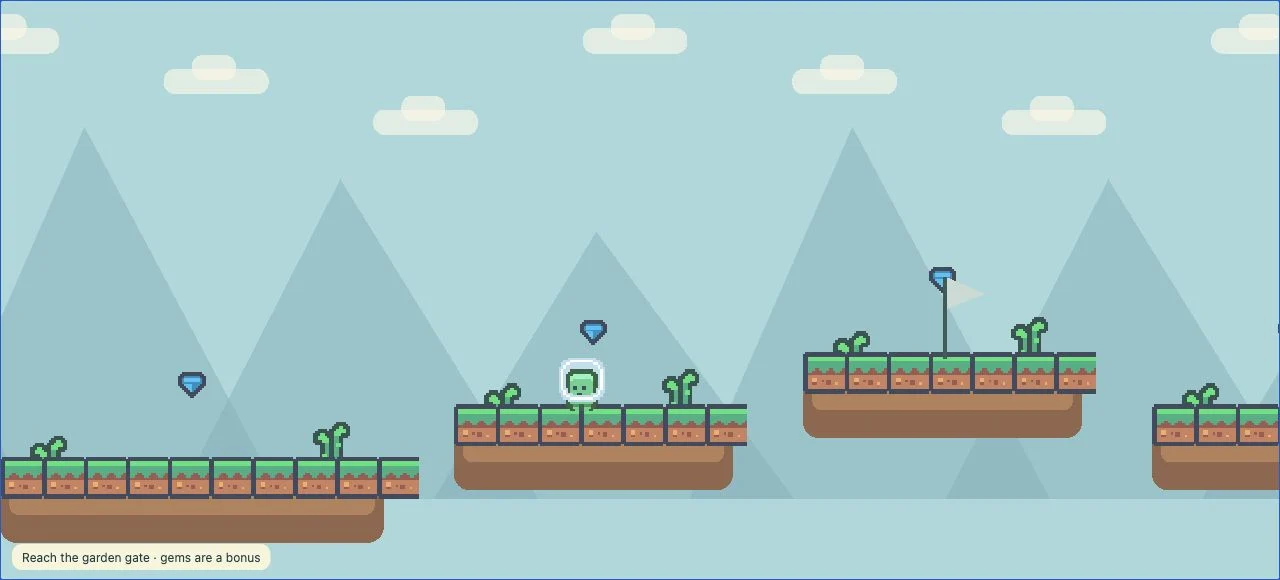
Give the landing surface a clear outline. A decorative edge should not look like a solid platform if the character falls through it. Show hazards with a different shape or color rather than relying on a tiny icon.
Build a test area with a flat floor, a low platform and one safe gap. If it is frustrating to jump between them, more art and enemies will not fix the movement. Change the physics or input before expanding the level.
Make a short teach, practice, finish sequence
Use the opening area to teach movement without punishment. Put the first collectible directly on a safe path. Then add a small gap that lets the player practice the same action before introducing a moving obstacle or a longer jump.
Place a checkpoint before the new challenge, not far behind it. A retry should return the player quickly enough to understand what they can change. Use a distinct goal marker and a result screen so reaching the end feels complete.
Sketch the route with simple shapes. Mark the spawn, platforms, hazards, checkpoint and exit. The planning workspace can help organize game modules, but the actual route still needs to be tested in the playable version.
Use a brief with concrete level constraints
A small brief keeps the first generation focused. Specify how to teach the jump and how a retry should work, not just the theme.
Create an original cozy 2D HTML5 platformer. The player is a small garden courier who carries a seed to a glowing gate. Build one short level with a safe opening area, three gradually harder jumps, five optional seeds, one checkpoint and a clear finish. Keep every required jump reachable with the same movement settings. Add keyboard movement and jump, large separate touch controls, pause, mute and restart. Missing a platform returns the player to the checkpoint. Make the playfield and controls readable in portrait and landscape. Do not add combat, purchases or extra levels yet.Treat touch input as part of the game design
Keyboard and touch controls should support the same required actions. Separate left, right and jump enough that a thumb does not trigger the wrong button. Check that two fingers can move and jump together, and that lifting a finger ends the held action.
Keep menus and progress indicators out of the landing area. On a narrow screen, shrinking the entire desktop interface can make both the character and controls unreadable. Adjust the camera and layout to preserve the information needed for the next jump.
A simulated phone viewport is a useful first check. Someone still needs to test a physical phone for touch behavior, sound activation, browser bars and orientation. Do not label a game mobile-ready solely because the canvas fits a narrow width.
Playtest the full route, including failure
Complete the level using normal controls rather than an editor shortcut. Then deliberately miss each required jump and restart from the checkpoint. Make sure the player cannot get stuck behind the camera or respawn inside a hazard.
Ask for one change at a time. For example: “widen the second landing platform by 20%, preserve the character art and keep the final gate in place.” Test the whole route again if movement or level geometry changes.
Try Sky Garden to inspect a playable platformer, then follow the publishing checklist once your own level is complete.
- The first jump teaches the controls without a forced loss.
- Every required platform is reachable with the normal jump.
- Checkpoint and restart reset the intended state.
- Win and loss feedback is visible and understandable.
- Keyboard and touch can complete the same route.
Common questions
Should my first platformer have multiple levels?
Finish one short level first. Multiple levels multiply the movement, checkpoint and progression states you need to test.
Can AI fix an impossible jump?
Give it a specific request about the gap, landing width or movement settings, then verify the result by playing. A successful generation message does not prove the jump is reachable.
Build a small game you can finish.
Start with a template and a clear brief. Opening the builder is free; AI builds and edits use credits.